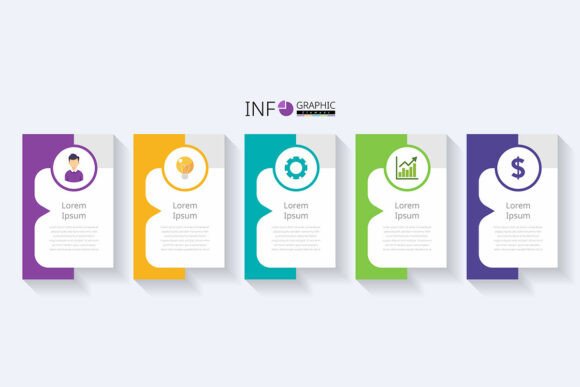
Modern 5-Step Business Infographic Template
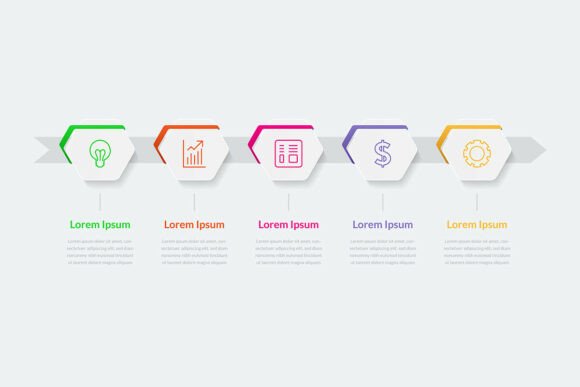
A well-structured visual framework doesn’t just clarify ideas—it accelerates decisions, aligns teams, and strengthens communication before the first draft is written or the first meeting ends. The Modern 5-Step Business Infographic Template is designed for this exact purpose: a clean, functional foundation that supports planning, execution, and reflection across real-world business contexts.
This isn’t a decorative asset—it’s a working tool. Built around five logical progression points (not arbitrary stages), it mirrors how professionals actually move from insight to outcome: define → analyze → decide → implement → evaluate. Whether you’re mapping a customer journey, outlining a product launch, explaining a pricing model, or walking stakeholders through a compliance process, those five steps provide enough structure to guide thinking without constraining creativity.
How It Fits Into Real Workflows
You don’t wait until everything is finalized to use this template. In fact, its highest value often comes early—before momentum builds and assumptions harden. For example:
- Before a project begins: Use the template as a discovery canvas during kickoff sessions. Fill in rough placeholders for each step—not to lock in answers, but to surface gaps in understanding or misalignment between departments.
- During execution: Revisit the template weekly as a lightweight progress tracker. Instead of lengthy status reports, update one line per step—e.g., “Analyze: Competitor pricing data collected; next: margin comparison.” This keeps focus on forward motion, not just activity.
- After completion: Repurpose the same layout for post-mortems. Replace original content with what actually happened at each stage. Side-by-side comparison reveals where planning diverged from reality—and why.
It also works backward. Educators use it to reverse-engineer learning objectives: start with the evaluation step (“What should learners be able to do?”), then build backward to define prerequisites, analysis methods, decision criteria, and practice activities. Freelancers adapt it when scoping client work—mapping deliverables, review cycles, approval gates, and success metrics directly into the five slots.
Fully Editable + Production-Ready
The Modern 5-Step Business Infographic Template ships as both EPS and JPEG files—meaning you can open, adjust, and finalize in tools you already use. The EPS version retains vector integrity for scaling, re-coloring, or isolating elements in Adobe Illustrator, Affinity Designer, or CorelDRAW. The JPEG serves immediate needs: slide decks, email summaries, social posts, or printed handouts—all in high resolution and RGB color mode for accurate on-screen rendering.
No hidden layers, no locked assets, no placeholder fonts that won’t render. Text is live and editable. Icons, arrows, and containers are grouped logically—not flattened or embedded. Colors follow a balanced, accessible palette (tested for contrast), but every swatch is adjustable to match your brand guidelines without breaking consistency.
Integration With Other Tools and Systems
This template doesn’t replace your project management software—but it complements it. While Asana tracks tasks and Notion organizes documentation, the infographic gives stakeholders a shared visual language. Embed the final JPEG into your Confluence page or Notion dashboard alongside timelines and checklists. Link the EPS file in your brand asset library so designers pull from the same source, not recreate layouts from memory.
For marketers, it pairs naturally with funnel analytics: map awareness → consideration → decision → purchase → retention directly onto the five-step grid, then annotate each with real conversion rates or drop-off points. For educators or trainers, import the template into Canva or PowerPoint, add animations per step to support live instruction, or break it into five separate slides for spaced repetition during workshops.
Even if your team uses different tools—Slack for comms, Google Sheets for data, Figma for design—the template acts as a neutral translation layer. A sales lead explains their process using the same visual logic a developer uses to document an API integration flow. That shared framing reduces misinterpretation, especially across time zones or disciplines.
Practical Implementation Tips
Start small. Don’t try to map an entire annual strategy on day one. Pick one recurring workflow—onboarding new clients, processing support tickets, launching internal training—and apply the template there. You’ll learn faster, get feedback quicker, and refine usage before scaling.
Label steps contextually. “Define” might become “Define Customer Need” for a UX team or “Define Compliance Requirement” for legal. Keep the underlying logic intact, but ground each header in your audience’s reality. Avoid jargon unless it’s universally understood by your viewers.
Use color intentionally—not decoratively. Assign one primary color per step and reuse it consistently across presentations, dashboards, or documentation. Over time, that color becomes shorthand: blue = analysis phase, green = implementation, etc. Your brain (and your team’s) starts recognizing progress at a glance.
When collaborating, share the EPS file—not just the JPEG. That way, teammates can edit text, swap icons, or adjust spacing without asking for “the source file” later. Store it in a shared drive with clear naming: Modern-5Step-Business-Template_v2_EPS. Version numbers matter when multiple people iterate.
Long-Term Usability Considerations
This template stays useful because it’s built for reuse—not one-off projects. Its flexibility comes from simplicity: five steps, no fixed icons, no branded copy, no forced terminology. That means it adapts as your work evolves. A startup using it for MVP validation today can repurpose it for investor reporting six months later—just by updating content and tone.
Consistency compounds over time. When every department uses the same visual rhythm to explain processes, onboarding shortens, cross-functional meetings run smoother, and external partners grasp your logic faster. It’s not about uniformity for its own sake—it’s about reducing cognitive load so people focus on substance, not structure.
Quality control is built in. Because each step occupies equal visual weight, it discourages over-emphasizing early phases (like endless ideation) while neglecting later ones (like measurement or iteration). If one box feels overloaded or empty, that’s diagnostic—not decorative. It signals where attention, resources, or clarity are needed.
Who Benefits—and How
Entrepreneurs use it to pressure-test business models before writing pitch decks—asking, “Does each of these five steps have clear inputs, outputs, and owners?” Bloggers turn complex topics into digestible sequences: “5 Steps to Choose the Right CRM” becomes a skimmable, shareable graphic readers save and reference.
Small business owners apply it to daily operations: inventory restocking (define stock levels → analyze usage trends → decide reorder point → implement purchase → evaluate supplier performance). Educators embed it into lesson plans to scaffold student thinking. Freelancers include a completed version in proposals—not as fluff, but as proof they understand process, not just output.
Hobbyists and productivity-minded users find unexpected utility too. Planning a home renovation? Map it: define scope → analyze contractor quotes → decide on timeline/budget → implement phase-by-phase → evaluate outcomes vs. goals. The structure holds whether the stakes are $50,000 or $500.
At its core, the Modern 5-Step Business Infographic Template supports intentionality. It doesn’t automate work—but it makes the work you do more visible, more collaborative, and more repeatable. And in environments where time is scarce and attention is fragmented, that kind of clarity isn’t optional. It’s operational leverage.