Workflow Process Infographic Bundle
Clear communication doesn’t happen by accident—especially when you’re explaining how things get done. Whether you’re mapping a client onboarding sequence, visualizing a content calendar, or walking new hires through compliance steps, the right visual tool makes all the difference. That’s where the Workflow Process Infographic Bundle stands out: not as another generic clipart pack, but as a purpose-built set of professional-grade vector assets designed for real work.
What You’re Actually Getting—No Guesswork
This isn’t a collection of static PNGs or pixelated templates. Every diagram in the Workflow Process Infographic Bundle is built in vector format—fully editable in Adobe Illustrator, Affinity Designer, or compatible tools. That means no quality loss when scaling from a slide deck thumbnail to a 48-inch trade show banner. You’re not just downloading graphics—you’re getting working files with layered, labeled objects you can rearrange, relabel, recolor, or repurpose in minutes.
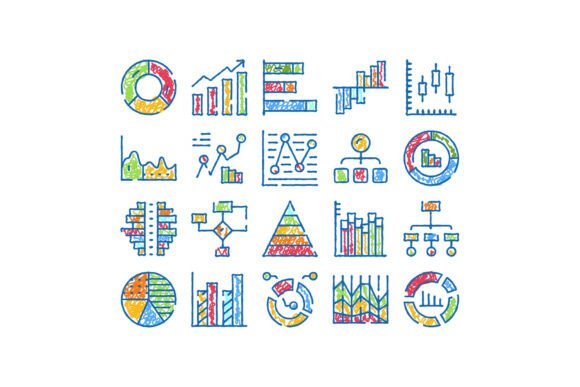
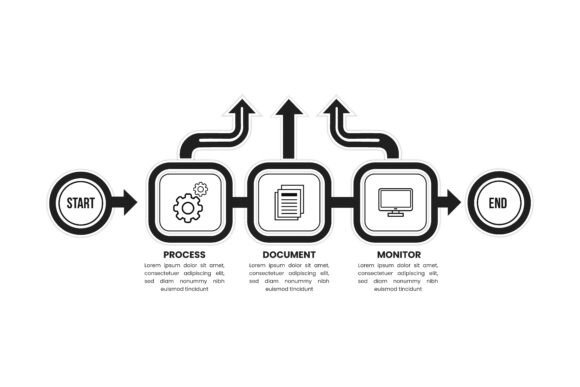
The bundle includes business flowcharts that follow standard notation (like swimlanes and decision diamonds), process diagrams optimized for clarity over decoration, and minimal timeline elements that avoid clutter while preserving chronological logic. There’s intention behind every curve, spacing choice, and icon style—designed for legibility at a glance, not just aesthetic appeal.
Why Customization Matters More Than You Think
One-size-fits-all rarely fits anyone well. That’s why the Workflow Process Infographic Bundle supports full color customization—across 100+ predefined palettes or your own brand hex values. Need to match your SaaS dashboard’s indigo-to-teal gradient? Done. Aligning with a university’s official maroon and gold? Easy. Even subtle shifts—like adjusting contrast for accessibility or softening tones for internal training slides—take seconds, not hours.
Resizing is equally frictionless. Unlike raster-based assets that blur or pixelate, these vectors retain crisp edges at any dimension. You can zoom into a single decision node or stretch an entire cross-departmental workflow across a double-page spread—without hunting for higher-resolution alternatives.
Where It Fits Into Real Workflows
Professionals across disciplines use this bundle differently—but the core need is the same: turn complexity into clarity.
- Marketers build campaign funnels that show handoffs between social, email, and sales teams—then drop them directly into pitch decks or client reports.
- Educators simplify lesson planning sequences or student feedback loops, embedding them in LMS dashboards or printed syllabi.
- Freelancers package process visuals with proposals—not as fluff, but as proof of methodical delivery—and reuse them across client onboarding docs.
- Product managers map user journey touchpoints alongside engineering sprints, aligning stakeholders without requiring everyone to read dense PRDs.
- Nonprofits visualize grant application timelines or volunteer coordination paths—making operational rigor visible to board members and donors alike.
Even hobbyists benefit. A blogger documenting their podcast editing workflow, a small-batch baker illustrating ingredient sourcing steps, or a community organizer laying out event prep milestones—all gain credibility and reduce miscommunication simply by presenting structure visually.
Branding That Works Harder
Your visuals are part of your brand voice—even when they’re functional. The Workflow Process Infographic Bundle supports consistent typography pairing, modular icon sets, and grid-aligned layouts that integrate seamlessly with existing brand guidelines. No more patching together mismatched arrows and boxes from three different sources. Instead, you maintain tone, proportion, and hierarchy across presentations, web pages, internal wikis, and printed handbooks.
That consistency builds trust. When your onboarding flowchart uses the same line weight, corner radius, and spacing logic as your website’s feature illustrations, people subconsciously register professionalism and attention to detail—even if they never consciously notice the design choices.
Practical Things to Keep in Mind
Before diving in, consider how you’ll actually use it. If you’re not regularly in Illustrator, check whether your team has access—or if you’ll rely on tools like Figma (which supports EPS import via plugins) or Canva (where you’d first convert to SVG). The source files include EPS, so compatibility isn’t universal—but flexibility is high once opened in the right environment.
Also, think about version control. Since everything is editable, it’s easy to create multiple variants—a simplified version for executives, a detailed one for ops teams. Name files clearly (e.g., “ClientOnboarding_FullProcess_v2.ai”) and keep a changelog if collaborating. A clean layer structure helps, and thankfully, the bundle ships with organized layers and grouped elements—not tangled spaghetti vectors.
And remember: simplicity isn’t about removing information—it’s about removing noise. Don’t cram every subprocess into one diagram. Use the bundle’s modular nature to break complex systems into focused, scannable visuals. One clear flowchart per core objective beats one overloaded diagram no one finishes reading.
A Tool That Grows With You
The Workflow Process Infographic Bundle doesn’t lock you into rigid templates. Its strength lies in adaptability—not just today’s project, but next quarter’s pivot. When your startup shifts from solo founder to five-person team, you update the org chart flow. When your course curriculum expands, you extend the timeline element—not start from scratch.
It also scales with skill level. Beginners appreciate the intuitive structure and ready-made color schemes. Seasoned designers value the editable vectors and clean construction—no reverse-engineering needed. There’s no learning curve to overcome, just time saved on execution.
At its core, this bundle answers a quiet but constant professional need: to explain, align, document, and improve—without drowning in busywork. It’s not flashy. It doesn’t promise magic. But it delivers something just as valuable: reliability, precision, and room to think clearly.